

Blog UzzAIConversations
Manage Conversations
How to view, assign, label and resolve conversations in the UzzApp dashboard.
3/5/2026•6 min•By Equipe Uzz.Ai
Scroll to discover the full journey
Summary4 sections
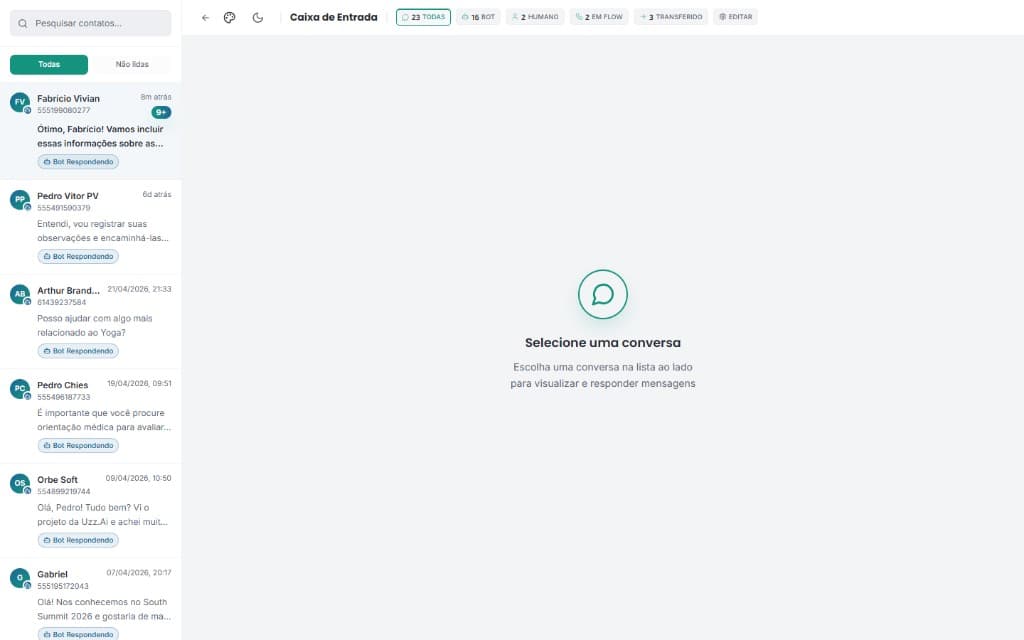
The Conversations Dashboard is the main UzzApp working screen. All incoming messages from WhatsApp appear here in real time.
Conversation statuses
- Open: active conversation awaiting response.
- Pending: conversation awaiting human intervention.
- Resolved: conversation closed by agent or AI.
- Snoozed: temporarily hidden, will return at set time.
Main actions in the dashboard
- Reply: send manual message within the 24-hour window.
- Assign: assign conversation to a specific agent.
- Add label: categorize with custom tags.
- Transfer: transfer to a human agent.
- Resolve: mark conversation as resolved.
- Notes: add internal notes visible only to the team.
Need to filter or search history?
Learn how to use filters and conversation history.
Filters & History →